
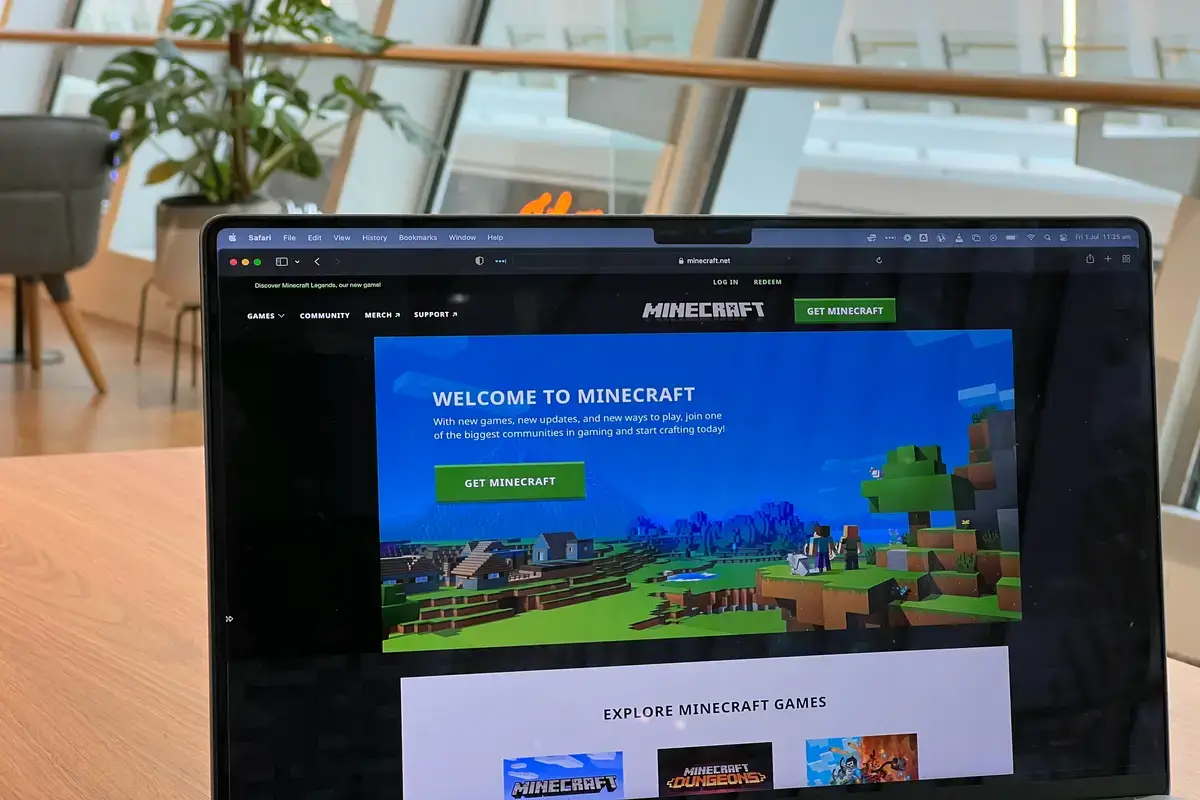
The Minecraft parkour videos have nowadays become a trend. Content creators use them as background footage behind stories, motivational videos, and conversational videos. The constant jumping and the gameplay grab the attention of the viewers and keep them glued to the screen. Most of the people manually play the game and record the clips. They edit them and bring them in consonance with their actual video. All of this requires manual editing, recording, synchronization, and a lot of hard work. Here comes the 9 best Minecraft Parkour AI video generators.
These tools are productive. They do the rest of the job without you touching the game controller. These tools pull ready-to-use clips within seconds and save hours of recording and editing time, so you get eye-catching footage that’s ready to drop straight into your project.
What Are Minecraft Parkour AI Videos (and Why They’re Trending)
Star of the faceless video show? Minecraft parkour footage delivers a rush of constant jumps and risky stunts. Attention sticks to the screen thanks to the wild blocky backgrounds. Viewers spotted something puzzling. People normally swipe away quickly. Parkour runs looping behind the narration suddenly made people linger. A viral craze was born right there. TikTok sparked the wildfire, then other sites caught the flame.
- Retention Boost: Constant on-screen motion keeps viewers watching longer than static talking-head or text content
- Zero Gameplay Skill Needed: No manual Minecraft playing, recording, or editing of raw gameplay required
- Algorithm-Friendly Format: Short-form platforms tend to favor high-motion visuals that hold attention through the full clip
- Low Production Cost: No recording rig, no game license setup, no separate capture software
- Reusable Across Niches: The same parkour footage works behind facts videos, storytelling, motivational content, or trivia
Every day, someone tries the formula for themselves. The trend refuses to fade. Picking the best tools may matter more than ever. Sellers rarely reveal the strengths of rivals. This roundup just might.
What to Look for in a Minecraft Parkour AI Video Generator
Many platforms carry the Minecraft AI video generator label. Real differences wake up on closer look. Some services email you ready-made parkour runs. Others ask for a prompt, then whip up custom stunts using clever code. Some let you snap a photo, then spit out blocky Minecraft faces. Choosing the wrong tool may waste your evening.
- Output Type: Whether the tool gives pre-made parkour clips, custom AI-generated footage, or a photo-to-avatar transformation
- Watermark-Free Export: Essential for anyone posting to a monetized channel
- Vertical/Shorts-Ready Format: Whether clips export natively in 9:16 or need manual cropping
- Free Tier Availability: How much is actually usable before hitting a paywall
- Script-to-Video Support: Whether the tool can turn a written script into a narrated video, not just supply a silent background
Only the most reliable tools made this list. Strict reviewer rules pushed aside the rest. Every ranking comes from hands-on results, not smooth talk.
9 Best Minecraft Parkour AI Video Generators
Now that you know what to look for, here are the 9 tools worth trying, each picked for a specific way creators actually use Minecraft parkour footage. Some are built purely for backgrounds, others turn a script into a full video, and a couple lean more toward personal avatars or stylized visuals.
1. Revid.ai
Revid.ai probably works best for anyone targeting Minecraft parkour content. The site is like rocket fuel for faceless storytellers. Type a script, select a parkour template, and hit go. Instantly, narration, text, and wild leaps appear together. Video comes out tall and vertical, ready for short video apps. Free users get a few shots each day, but watermarks linger until you pay. Membership opens better exports. Time saved may shock creators who remember building every detail alone.
Pros:
- Fast script to video workflow
- Designed for short-form videos
- Automatic captions save time
- AI voiceover included natively
- Easy interface for beginners
Cons:
- Free exports include a watermark
- Limited free daily credits
- Requires a paid plan for HD
- Fewer manual editing controls
- Templates offer limited flexibility
2. TopMediai
TopMediai features a dedicated parkour generator inside a bigger toolkit. Straightforward controls make the experience simple. A quick text drop leads straight to a finished video, parkour runs flipping in the background. Multiple AI voices might bring scripts to life. The free tier covers shareable clips but leaves a small logo. Paid subscriptions offer smoother exports and higher-quality video. TopMediai suits makers who value speed and the easiest workflow. Advanced video editing fans might need something else.
Pros:
- Simple interface for beginners
- Fast text-to-video creation
- Multiple AI voice options
- Supports automatic voice narration
- Quick video export process
Cons:
- Watermark on free exports
- Advanced editing is limited
- Premium unlocks better quality
- Limited creative customization
- Credits run out quickly
3. Pixazo
Pixazo probably shifts everything with its bold focus on rare, AI-built images in Minecraft style. Type out a few words and watch digital art come to life before your eyes. Repetitive parkour clips may finally fall behind. Fresh moments, completely new, seem possible for the first time. For creators bored by the same old backgrounds, relief might arrive here. Mastering Pixazo calls for more than just simple text copying. Each prompt might control everything, so careful phrasing turns crucial. Adventurous tinkerers often stumble onto visuals no rival can touch.
Pros:
- Creates unique AI artwork
- Supports detailed text prompts
- Generates creative visual styles
- Easy image generation process
- Useful for creative projects
Cons:
- Not a video editor
- Output depends on prompts
- No built-in narration
- Limited free image credits
- Results can be inconsistent
4. Opus.pro
Opus.pro started as a tool for pulling highlights from endless videos. Soon, builders introduced clever AI features for video. Minecraft parkour now sometimes pops up among background choices. The true magic might come from changing scripts into finished shorts that feel smooth and sharp. Captions almost always keep pace with speech, usually without manual effort. Hidden technology may study viral trends, hoping to help videos break through. Price tags sit far above budget alternatives. Still, people aiming to rise beyond the crowd, searching for something close to perfection, often see real value in Opus.pro. Landing beside the leading shorts on any platform may look possible here.
Pros:
- Excellent short video creation
- Automatic captions work well
- AI finds key highlights
- Professional quality exports
- Simple editing workflow
Cons:
- Not Minecraft focused
- The free plan is limited
- The paid plan is expensive
- Requires source video input
- Limited manual editing options
5. Magiclight AI
Magiclight AI probably tempts anyone who skips face reveals. Minecraft parkour layouts shine inside its lively template gallery. One simple path takes users from writing a script straight to polished video export. Built-in AI voices shape the narration, so chasing outside tools may not matter. Free trial credits help hesitant creators test limits. Subscriptions open up bulk exports for heavy daily workflows. Opening screens suggest new users will not feel lost. Power creators sometimes might want more control for tiny pixel details, though.
Pros:
- Easy script for video creation
- Built-in AI voiceovers
- Beginner-friendly interface
- Fast automated video production
- Supports multiple video styles
Cons:
- The free plan has limits
- Advanced editing is basic
- Premium required for exports
- Limited creative flexibility
- Credits are quickly exhausted
6. Media.io
Media.io reinvents the Minecraft space by focusing on personal character design. One photo upload delivers a Minecraftish avatar, fast. Among AI avatar generators for faceless videos, this one probably draws the most attention from creators who care about distinct looks. Generating whole parkour sequences does not happen inside Media.io. People place new avatars into self-chosen scenes from other editors. Watching a normal photo morph into a block-based figure, straight from a browser, usually surprises first-timers. Folks searching for every parkour feature in one place might feel let down. Those shaping a special Minecraft brand often uncover true satisfaction.
Pros:
- Easy online editing platform
- Supports AI image generation
- No software installation needed
- Simple, user-friendly interface
- Offers multiple AI tools
Cons:
- Not Minecraft specific
- Limited free exports
- Advanced tools require payment
- Internet connection required
- Editing features have limits
7. HitPaw
HitPaw charges forward by turning pictures and videos into Minecraft style. Installing on a computer brings a level of power no web tool can match. Creating bold parkour environments or swapping personal portraits into cubes becomes easy. Every person needs to install the app, since everything happens locally. Some occasional users might lean toward browser tools for comfort. Users seeking precise tweaks and broad control likely stick with HitPaw. Learning each feature takes a bit of extra time. Still, for creators who refuse to settle, HitPaw probably rewards every minute spent.
Pros:
- Powerful desktop AI editor
- Supports image enhancement
- Offers multiple AI features
- Provides greater editing control
- Works with various media
Cons:
- Software installation required
- The trial version is restricted
- Learning curve for beginners
- Premium needed for full access
- Requires capable computer hardware
8. StoryShort/Autoclips
StoryShort and Autoclips welcome makers who mix up many styles. Creativity never has to stick to just one path on these platforms. A single taste of Minecraft parkour appears alongside a whole menu of other ideas. Variety rules here. People who split focus across passions probably find a home. Anyone chasing only parkour in Minecraft might want more. Single-topic tools at the basic tier keep Minecraft results steady but not deep. Those searching for wild, detailed parkour probably will not stay long. Subscription payments often unlock every part of the creative toolkit. One fee opens every door. With so much on offer, variety sometimes pushes depth aside. Minecraft experts usually drift toward more specialized tools.
Pros:
- Fast, faceless video creation
- Supports AI voiceovers
- Simple content workflow
- Good for short videos
- Easy for beginners
Cons:
- Limited free usage
- A few advanced editing tools
- Requires a subscription for features
- Template customization is limited
- Not Minecraft focused
9. SeaArt or Supawork
SeaArt and Supawork thrive in a more artistic field. Minecraft flavor gets a remix here, AI creates fresh blends instead of simple gameplay. Every result turns heads with boldness and something new. Parkour edits look nothing like the usual choices. Creative minds probably enjoy more options. Templates do not rule here. Crafting a great prompt decides whether the artwork lands or misses. Many artists dream of a style only they could have and pick these platforms for their next jump. Some viewers expect classic Minecraft scenes and may end up confused or even disappointed. Brave creators get a shot at a visual identity that nobody else can claim.
Pros:
- Creates unique AI artwork
- Supports creative image styles
- Easy text prompt generation
- Produces visually appealing results
- Useful for artistic concepts
Cons:
- Not designed for videos
- Prompt quality affects output
- Free usage is limited
- Results may vary greatly
- Advanced features require payment
Comparison Table
| Tool | Best For | Free Tier | Output Type |
|---|---|---|---|
| Revid.ai | All-in-one parkour videos | Limited daily | Full narrated video |
| TopMediai | Quick simple generation | Yes with watermark | Full narrated video |
| Pixazo | Custom AI imagery | Limited credits | AI-generated scenes |
| Opus.pro | Professional quality | Trial only | Full narrated video |
| Magiclight AI | Beginner-friendly workflow | Yes | Full narrated video |
| Media.io | Photo-to-avatar conversion | Yes | Avatar images |
| HitPaw | Desktop processing power | Trial only | Avatar and enhancement |
| StoryShort/Autoclips | Multi-niche creators | Limited | Template-based video |
| SeaArt/Supawork | Artistic stylized visuals | Yes | AI art imagery |
Which Tool Fits Your Use Case?
New arrivals often show up with different wishes. Some people probably focus on scenery alone. Others may want a short movie, starting from nothing except words. A third group needs a digital Minecraft character that fits their brand. The best platform always swings back to what you actually plan to make.
- Pre-Made Parkour Backgrounds Fast: Revid.ai, TopMediai, or Pixazo for creators who just need reliable clips with no setup
- Script Into a Full Narrated Video: Opus.pro or Magiclight AI for turning written content into a complete video
- Personal Minecraft-Style Avatar: Media.io or HitPaw for photo-to-avatar transformations
- Stylized AI-Art Visuals: SeaArt or Supawork for a more artistic, less literal Minecraft look
- Generic Tool With Minecraft Templates: StoryShort/Autoclips for creators who want Minecraft as one option among many video styles
Matching the tool to your real project always outruns hunting for a one-size solution. A builder searching for a character will not care for fancy jumping scenes. Start by listing every step you take, then pick the match that fits.
FAQ
Is there a genuinely free Minecraft AI video generator?
Plenty of creators might spot options that give results without a fee. Examples such as TopMediai and Magiclight AI may let anyone try for free, but usually stamp the video. SeaArt may give free trials for pictures. Who wants free AI video generators with no watermark and unlimited use, forever, without paying? Nobody finds that. Frugal makers usually sample for free and choose a plan later when their projects begin to pay off.
Can I use these for paid YouTube Shorts?
Chances are high. Most services probably give permission for business use. Always look closely at each agreement before making money. Chances are nearly certain that watermark-free exports ask for payment. The YouTube Partner Program probably supports AI-made content as long as it fits all community rules.
Is Minecraft itself required for these tools?
No need for the real game. AI video generators create Minecraft-styled projects with zero connection to the original. No download ever enters the picture. Only a browser or app is needed. Fans of the vibe who never bought Minecraft probably feel relief.
How does a parkour creator differ from a photo-to-avatar tool?
Some storytellers push the limit by crafting dramatic video journeys, using gravity-defying leaps and tricky barriers in their courses. A few digital tools can even take your face and turn your look into a blocky Minecraft version. Every tool might deliver a one-of-a-kind purpose. Parkour creators usually focus on wild locations. Avatar builders seem to make personal icons. Several builders combine both paths inside creative projects. Voices from leading tech sites claim that digital tools powered by AI will probably keep getting smarter everywhere. Forbes
Conclusion
Spotting the most powerful Minecraft parkour AI tool feels like chasing a moving target. Someone who wants simple backdrops will likely need something very different than anyone hunting for complete adventures with noise and action touches. People who love avatars might group together. Check a quick side-by-side chart for guidance. Explore free versions before paying. Pick the option that matches your plan, and turn your video from ideas into real excitement, step by step.

Haroon writes about AI detection and content tools. He explains how these tools work and helps you use them the right way.