

Whenever you have to grow your audience online, the video content is the number one medium to get it done the right way. People are more interested in seeing reels and long videos to consume content and acquire knowledge. Mostly, the audience from the teenage and young people segment is now watching more videos than ever before. It means your content spreads, viewership rises, and business grows. Here are the 8 best AI avatar generators for faceless video creations that will enable you to create video content without even revealing your face.
There are people, individuals, and small businesses who need to create video content to make their businesses flourish. The main hurdle is that some of them are shy to show their face, some cannot talk when they are in front of a camera, and some do not appear for no reason. This dilemma has been completely addressed in this age of AI. Now, all you need is to sign up for one of these AI avatar generators. They will create a realistic one for you, and the rest is done. These tools increase your productivity, prompt state-of-the-art business practices, and ensure that your revenue grows rapidly.
Each of the tools in this post has its own freedoms, limitations, unique features, and working mechanisms. Some of them offer a generous free plan threshold, while others have some seriously advanced features to explore. Investing in good video quality can raise your viewership and fetch you more leads.
What Is an AI Avatar Generator and Why Do Faceless Creators Use It
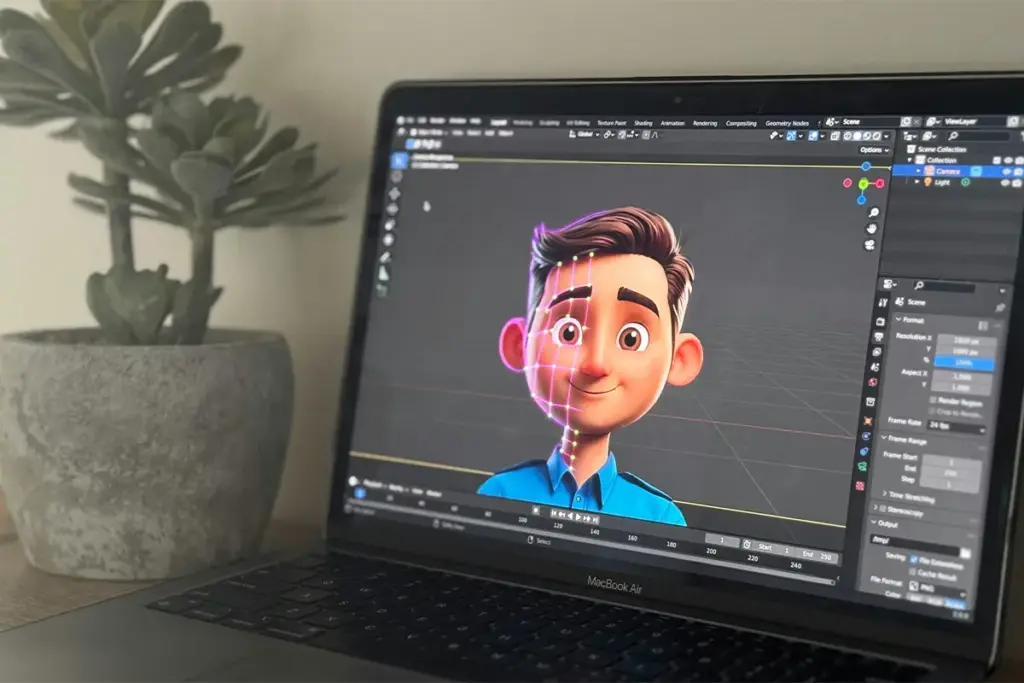
Think of it this way. You have something to say. But you do not want to be on camera. An AI avatar generator solves this. You type your message. The tool makes a digital person. That person says your message in a video. The mouth moves with the words. Their eyes look at the camera. It looks like a real person talking. But it is not you. It is a digital person made by the tool.
This is different from other AI video tools. Some tools make movie-style clips or animations. Those are not the same. An AI avatar generator makes a person talk on camera. That is the only thing it does. And that is exactly what most video creators and small business owners need.
Why do people who do not show their faces use these tools? First, you do not need a camera or a microphone. Second, you do not need to worry about how you look or sound. Third, you make one digital person. You use the same person in every video. Posting on Instagram Reels, on YouTube Shorts, and on TikTok is easy with the same avatar. Just write, make the video, and post. It is simple and fast. You can do it every week without stress.
What to Look for Before You Pick a Tool
Before you choose a tool, check these six things. Most articles skip these. But they are the things that really matter when you start using the tool.
- Free tier for AI avatar video tools: A lot of tools say they are free. But when you make a video, they put a logo on it. That logo is called a watermark. It sits on your video, and it looks unprofessional. Some tools also offer free AI video generators without a watermark for a limited time before paid restrictions start. So before you spend time learning a tool, ask yourself this. Can I actually post a video from the free plan without a logo on it? If the answer is no, that tool is not really free for you.
- Output quality for short-form vertical video: Videos on TikTok, Instagram Reels, and YouTube Shorts are tall and narrow. Not all tools make this shape. Some tools only make wide videos, like a TV screen. Then you have to change the shape yourself. This is extra work. So check if the tool makes tall videos before you sign up.
- Lip sync accuracy: Lip sync means the mouth of the digital person moves at the same time as the voice. If the mouth moves even a tiny bit late, the video looks wrong, like an old movie with bad sound. People notice this quickly. So when you test a tool, watch a long sentence in the sample video. Short clips can hide this problem.
- Voice options and cloning: Some tools give you a fake-sounding computer voice. It sounds like a robot. Other tools let you use your own real voice. This is called voice cloning. The tool copies how you sound. Then the digital person sounds like you. Voice options and cloning are usually only available in paid plans. But they make your videos feel much more personal and real.
- Watermark policies: We said this before, but it is important. A watermark is a logo on your video. If your video has a watermark, you cannot post it to a business page or a YouTube channel that earns money. It looks unprofessional. Always check what the watermark policies say before you start making videos with a tool.
- Ease of use for beginners: Some tools are built for people who already know a lot about video making. These tools have many buttons and settings. They are hard to learn. If you are new to this, you need a simple tool. You should be able to open it and make your first video in one afternoon, without any help.
Best AI Avatar Generators for Faceless Video Creation
Here are eight tools that help you make videos without showing your face. Each tool is different. Some are better for beginners. Others are better for businesses. A few cost more. Others are cheaper. We will explain each one in simple words so you can pick the right one for you.
For each tool, we will tell you: what it does, who it is best for, what the free plan really gives you, one thing that is good about it, one thing that is a problem, and the price. We are not trying to sell you anything. This guide just wants to help you choose.
1. HeyGen
HeyGen is one of the most popular tools for making AI avatar videos. Many people use it, and they like it. Here is how it works. You type your script. Then you pick a digital person from a big list. HeyGen has more than 500 digital people to choose from. Then the tool makes the video. The digital person says your words. What makes HeyGen special is that the face of the digital person moves in a very natural way. The expressions match the tone of your words. If your script is serious, the face looks serious. This makes the video look more real than most other tools.
On the free plan, you can make 3 videos every month. Each video can be up to 3 minutes long. But every video will have a watermark on it. This is still good enough to test the tool. If you like it, you can pay. The paid plan starts at $24 a month. If you pay for the whole year, the price is lower. Some users say it is hard to understand how many videos they can make on the paid plan. But for people who want great video quality in many languages, HeyGen is the best tool on this list.
Pros:
- Very realistic avatar quality
- Large avatar library available
- Supports many languages
- Easy for beginners
- Strong voice cloning tools
Cons:
- The free plan has a watermark
- Short free video limits
- Paid plans cost more
- Advanced tools need upgrades
- Credits can run out
2. Synthesia
Synthesia is one of the oldest tools in this category. It has been around for many years. Big companies like Reuters, Heineken, and Tesco use Synthesia to make their videos. It has more than 240 digital people to choose from. These digital people can speak in 160 different languages. That is a lot. The editor is clean and easy to use. You can make a video very fast. Making the same style of video many times with different words is also easy.
The free trial gives you a few tries to test the tool. This is enough to see how the videos look. But it is not enough to use it as your regular video tool. The paid plan starts at $18 a month, and you pay less if you pay for the full year. Many solo creators say Synthesia has too many features they do not need. The price is also designed for business teams, not for one person. If you need a big choice of digital people and a simple, organized editor, Synthesia is a good tool. But if you work alone and have a small budget, you may be paying for things you will never use.
Pros:
- Very polished video output
- Large avatar collection
- Supports many languages
- Easy template-based editor
- Strong team collaboration tools
Cons:
- Limited free trial
- Expensive for individuals
- Built mainly for businesses
- Custom avatars cost extra
- Less creative flexibility
3. D-ID
D-ID works in a special way. You do not pick a digital person from a list. Instead, you upload a photo of any face. It can be your own photo. A photo of anyone works too. Even a drawing is fine. D-ID then makes that face talk. The mouth moves with the words in your script. This is useful if you want the video to feel more personal, the same personal touch that AI jewelry apps for virtual try-on bring by letting someone see exactly how a piece looks on them before buying. It is also good for teachers, small shop owners, or anyone who wants to use a specific face in their videos. D-ID also lets tech teams connect it to other software, but you do not need to know about this if you are not a tech person.
The free trial gives you a short time to try it. This is enough to see how it works. The paid plan starts at $5.90 a month. This is the lowest price on this whole list. But there is one thing to know. D-ID does not give you a full video maker. It only makes the face talk. You still need to write your script, choose a voice, and finish the video yourself. For someone who is on a very small budget, this is still a good option.
Pros:
- Uses your own photos
- Very affordable pricing
- Simple talking avatar creation
- Good API integration
- Fast video generation
Cons:
- Not a full video editor
- Limited built-in templates
- Short free trial
- Fewer editing tools
- Less realistic than leaders
4. DeepBrain AI (AI Studios)
DeepBrain AI has one main goal. It wants the digital person in your video to look as real as possible. The digital people in this tool move their faces in a very natural way. Their eyes blink naturally. The head also moves a little, just like a real person. This makes the videos look very realistic. DeepBrain AI also has more than 2,000 digital people to choose from. This is the biggest number of all the tools on this list. It also has a special feature for companies that want to use the videos for staff training programs. The videos can connect to the company’s training system.
A free trial exists, but it is very short. Regular use is not possible on the free plan. Paid plans start at $30 a month. This is higher than most other tools on this list. If you are a solo content creator, you will probably not need most of the features in this tool. But if you work for a company and you need the digital person to look as real as possible, the quality here is better than most other tools. It is worth the price for that specific need.
Pros:
- Very realistic avatars
- Huge avatar selection
- Natural facial movements
- Strong enterprise features
- Supports many languages
Cons:
- Higher monthly pricing
- Short free trial
- Complex for beginners
- Business-focused platform
- Feature-heavy interface
5. Colossyan
Colossyan is made for one specific purpose. The purpose is to make training videos. Imagine you work at a company. You need to teach new workers the rules. Making videos about company policies is also part of the job. Colossyan is built exactly for this. It has special features like quizzes inside the video. Viewers can also choose what they want to learn next, because the tool lets them make path-choice videos. There are 150 to 200 digital people, 600 voices, and support for 70 languages. Safety certificates that big companies need are also included. No other tool on this list is as good as Colossyan for this type of video.
The free trial is very short. Pricing is set for teams, not for one person. Paid plans start at around $19 a month. The main problem for a regular content creator is the speed. HeyGen can make a short video in about two minutes. Colossyan can take ten or more minutes to make the same video. For HR teams making training videos, this is okay. But if you post YouTube videos every week, this slow speed will be very frustrating.
Pros:
- Excellent for training videos
- Interactive video features
- Good language support
- Strong enterprise security
- Useful team collaboration
Cons:
- Slow rendering speeds
- Limited free access
- Less creator-focused
- A learning curve exists
- Better for teams
6. InVideo AI
InVideo AI is the easiest tool on this list. Here is how simple it is. You type one sentence about your video idea. Then choose where you want to post it, like TikTok or YouTube. After that, InVideo AI does everything else. It writes the full script. A voice is picked automatically. Video clips are found to go with your words. Text on the screen is added too. Background music is also included. You do not have to do any of this yourself. The tool does it all. It works in 190 countries and in more than 50 languages. If you are completely new to making videos, this is the fastest and easiest way to start.
There is a free plan, but the digital person avatar feature is very limited on the free plan. The free plan is better for making videos with stock clips, not for making a full talking-person video. Paid plans start at $17 a month, and you pay less if you pay for the full year. One honest thing to know in free vs paid AI avatar tools is that InVideo AI uses more stock video clips than avatar videos on lower plans. If you want a digital person to speak through your whole video, this tool has fewer choices than HeyGen or Synthesia. But if you just want a fast, complete video with very little work from you, InVideo AI is very hard to beat.
Pros:
- Very beginner-friendly
- Fast full video creation
- Easy text-to-video workflow
- Strong stock media library
- Affordable paid plans
Cons:
- Limited avatar options
- Avatar tools are less advanced
- Free plan restricted
- Less manual control
- Stock-heavy output style
7. Hour One
Hour One is a tool for professional videos. It is similar to Synthesia. Both are good for company training videos. But Hour One does two things better than most tools. First, it is very good at different accents. An accent is how people from different countries say the same words differently. If you need a video that sounds natural to people in Germany, Brazil, or Japan, Hour One handles this better than most. Second, it has strong data safety rules. This means your information and your company’s information stay private and protected.
Hour One does not have a simple free plan. The price is also not fixed. It depends on how big your team is and how many videos you want to make. You have to contact them first to get a price. For a solo creator who wants to test a tool quickly, this is not convenient. If you are a solo creator or a beginner, this tool is probably not for you. It is better for company teams that need safe, professional videos in many languages.
Pros:
- Professional avatar quality
- Strong multilingual support
- Excellent accent handling
- Enterprise-grade security
- Good business templates
Cons:
- No easy free plan
- Pricing not transparent
- Business-focused product
- Not beginner-friendly
- Requires a sales contact
8. Creatify
Creatify is made for one job. That job is making short video ads for products. Here is how it works. You copy the link of your product from your online shop. Paste it into Creatify. The tool reads your product page. Then it makes several short video ads for you. Each ad has a digital person presenting your product. This is very useful if you sell things online and you want to run ads on TikTok, Instagram, or YouTube. Making one ad can cost as little as $3. So you can try many different ad ideas without spending a lot of money.
The free trial has limited access. Prices also change often, so check creatify.ai for the latest prices. One very important thing to understand is that Creatify is only for making ads. It is not for making regular YouTube videos or growing a content channel. If you want to post videos every week to grow an audience, this tool will not help you with that. But if you sell products online and you need cheap, fast video ads, Creatify is the most useful tool on this list for that job.
Pros:
- Built for video ads
- Fast product ad creation
- Easy URL-to-video workflow
- Good for ecommerce sellers
- Affordable ad production
Cons:
- Focused only on ads
- Not for regular content
- Limited free access
- Pricing changes often
- Less useful for creators
Which Tool Is Best for Short-Form Social Video?
Short-form social videos are short videos on TikTok, Instagram Reels, and YouTube Shorts. If you want to grow your audience on these platforms without showing your face, these three tools are the best for you.
HeyGen is the best for making avatar videos for Reels and Shorts. The digital person looks very real. Video sizes are right for these platforms, too. You can also make the same video in different languages easily. This helps you grow your audience in different countries.
InVideo AI is the best for beginners who want a fast and complete video. You type your idea, and the tool makes the full video. Nothing else needs to be done by you. This is great when you are just starting and you do not know how to make a video yet.
D-ID is the best when you do not have much money. It costs less than $6 a month. You can still make good avatar videos and post them on social media without a big budget.
Which Tool Is Best If You Are on a Tight Budget?
Here is a simple look at what you can do without spending a lot of money.
- D-ID is the cheapest tool on this list. It costs $5.90 a month. Not all features of bigger tools are included. But it works well, and you can afford it.
- InVideoAI’s free plan lets you make videos with stock clips. The digital person avatar is limited on the free plan. But you can still make a video and post it without paying anything. This is good if you are okay with using stock clips instead of a digital person talking.
- HeyGen’s free plan gives you 3 videos every month. Each video has a watermark. But this is enough to test the tool and see if you like it before you pay any money.
- Synthesia’s free trial is useful for seeing what the tool looks like. You do not get many videos, but you can see the digital people and try the editor to understand how it works.
If you post videos to earn money or to promote your business, you need to pay for a plan. A watermark on your video looks unprofessional. The cheapest good paid option starts at $17 to $24 a month. Every free plan puts a watermark on your video.
How to Create a Faceless Video With an AI Avatar: Quick Steps
We will show you how to make your first video using HeyGen. HeyGen has a free plan. It is also simple to use. Even a beginner can learn it fast.
- Open your browser. Go to HeyGen.com. Click “Sign Up” and make a free account. You do not need to enter your credit card number.
- After you log in, click the button that says “Create Video.” Then choose “Avatar Video” from the list.
- You will see many digital people. Look through them. Pick one that looks right for your video.
- Type your script in the text box. This is what you want the digital person to say. HeyGen will use the digital person’s voice to say your words.
- Click “Preview.” Watch the video. Check if the mouth moves correctly with the voice. If something sounds wrong or too fast, fix it in the script.
- Choose a background for your video. You can use an image or just pick a color. If your plan includes on-screen text, you can turn that on too.
- Click “Export.” The tool will make your video. This takes a few minutes. When it is ready, download the video to your computer.
Your first video will probably take about 20 minutes because you are learning. After a few videos, you will do it in about ten minutes. Picking the right digital person at the start is the step that takes the most time.
AI Avatar Generators for Faceless Video at a Glance
Picking the right tool is easier when you can see all the options in one place. The table below shows the most important information about each tool so you can compare them quickly and make a simple decision.
| Tool | Best For | Free Plan | Starting Price | Avatar Quality | Ease of Use |
|---|---|---|---|---|---|
| HeyGen | Realistic avatar videos and multilingual content | 3 videos per month, watermark | $24 per month | Excellent | Easy |
| Synthesia | Corporate training and large avatar library | Limited trial only | $18 per month | Very good | Easy |
| D-ID | Animating a photo and tight budget use | Limited trial only | $5.90 per month | Good | Easy |
| DeepBrain AI | Most realistic avatars and company use | Very limited trial | $30 per month | Best on list | Moderate |
| Colossyan | HR and training videos with quizzes | Very limited trial | $19 per month | Good | Moderate |
| InVideo AI | Beginners and fully automated videos | Available, with limits | $17 per month | Moderate | Very easy |
| Hour One | Multilingual accents and company teams | Not available | Custom pricing | Very good | Moderate |
| Creatify | Video ads for online stores | Limited trial only | Check website | Good | Easy |
Conclusion
If you have no money to spend right now, start with D-ID. At only $5.90 a month, it is simple to use and good enough to test if avatar videos work for you.
If you want to post videos often and you want the tool to do most of the work, use InVideo AI. Fast and simple, it makes the whole video for you. Just give it an idea, and it does the rest.
If you want the digital person in your video to look as real as possible, use HeyGen. The videos look natural. On the free plan, you get 3 videos a month. That is enough to start and decide if you want to pay.
The best advice is this. Pick one tool. Make ten videos. Then look at which videos your audience liked most. That will tell you more than anything else. What your audience watches and enjoys depends more on the topic and the quality of your content than on whether a real or a digital person is speaking. That will tell you more than anything else.
FAQs: Best AI Avatar Generators for Video Creation
Q1: Can I use an AI avatar video on YouTube without getting flagged?
A: Yes. YouTube does not remove videos just because they are made with AI. But YouTube has a rule. If your video shows a person who looks very real, you have to tell your viewers that it is AI. You can do this by writing a short note in your video description. Something like “This video uses an AI avatar.” That is enough. But YouTube rules can change, so check their website sometimes to see the latest rules.
Q2: Are AI avatar videos good enough quality for Instagram Reels?
A: Yes, for most video types. If you are making a teaching video, a product video, or a talking-head video, AI avatars work well on Reels. People watch these videos, and they do not always know it is AI. But if your video needs to be funny or very personal, a real person on camera usually does better. For information and education videos, AI avatar videos work just fine.
Q3: What is the most realistic free AI avatar generator right now?
A: HeyGen gives you the best-looking free avatars right now. You can use the Avatar IV model even on the free plan. The video looks better than most other free tools. But remember, every video on the free plan will have a watermark on it. And you can only make 3 videos each month for free.
Q4: Can I clone my own face and voice without paying for a premium plan?
A: No. If you want to use your own face and voice to make a digital version of yourself, you need to pay. All the big tools on this list only offer this in their paid plans. With HeyGen, you need the Business plan to do this. Synthesia also charges an extra fee on top of the regular plan. The free plans do not include this feature.
Q5: Do AI avatar videos get less engagement than real face-to-camera videos?
A: It depends on what your videos are about. For teaching videos, money tips, and tech topics, AI avatar videos do very well. Viewers care more about what is being said than who is saying it. But for lifestyle videos, fitness videos, and personal brand videos, real face-to-camera videos usually get more views and comments. People connect more with a real face in those topics. The best advice is to try both and see what works for your specific audience.

Haroon writes about AI detection and content tools. He explains how these tools work and helps you use them the right way.