

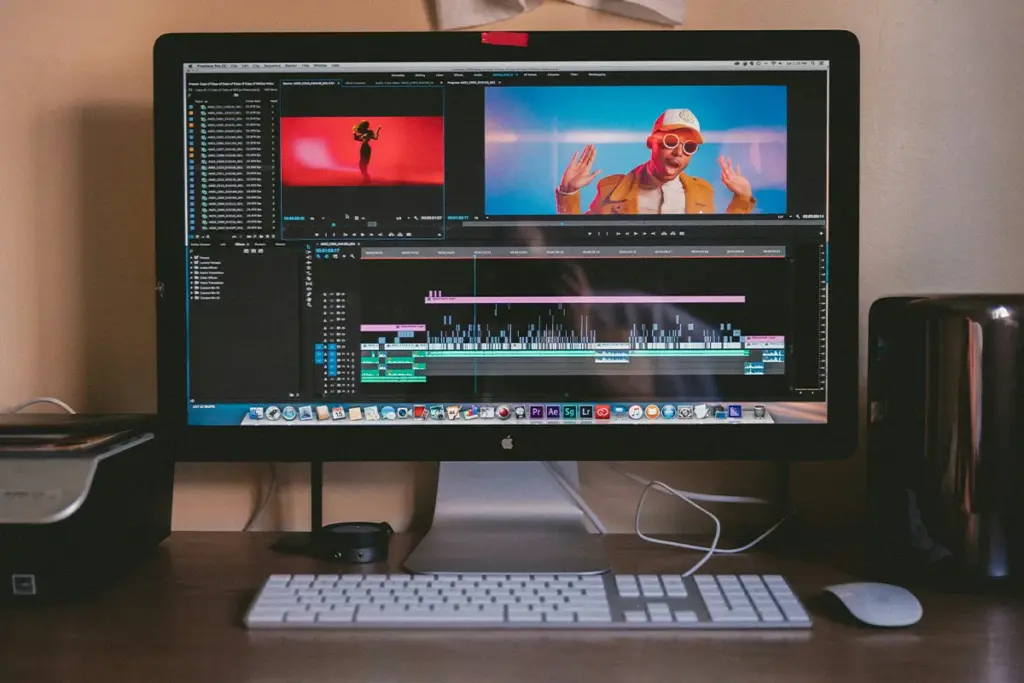
The traditional methods of making a video have changed. Even the film industry is inching towards the AI world. FlexClip AI video generator is one of the best AI video-making and editing tools that allows you to create content via a web-based browser platform. This cuts the labor and effort you put into making a piece of video. All you have to do is give it a complete and proper command; this tool will handle the rest, and give you a professional AI-generated video. The quality is amazing. Not even a professional video editor can judge the difference.
Graphics are smooth with real-time frame transition. And utilizing the AI Audio Suite, you can voice-over your videos to give them a realistic touch. There are multiple other advanced AI tools integrated in FlexClip that make it more and more competitive. AI background remover, motion tracking, text-to-speech, and AI Image Suite have countless ready-made templates that can take your career to the next level.
What Is FlexClip AI Video Generator?
FlexClip is a tool for making videos. Opening it in your browser is all you need to do. No downloading is needed. Installing any app or software is also not required. Just open the website. Then start making your video.
FlexClip uses AI to help you make videos. This means you can type an idea. The tool will make a video from it. One of the AI tools inside FlexClip is called FlexClip AI video generation with Veo 3. It also has three other AI tools. They are called Kling, Hailuo, and Sora 2.
Many small business owners use FlexClip. People who post videos online use them too. Short clips, product videos, and social media videos are all made with it.
What Does the FlexClip Free Plan Include?
Here is the good news first. When you sign up for free, you can use the real tool. Not just a preview. Not a locked screen either. Making videos is something you can actually start doing right away. Here is a list of everything the free plan gives you:
- 720p video export with a FlexClip watermark on every download
- Up to 12 saved projects at one time
- Videos up to 10 minutes long
- 1 stock video clip and 1 stock audio clip per project
- A limited number of FlexClip free AI video credits to use on generation tasks
- Access to basic templates and the standard editing tools
What does this mean for you? Open FlexClip and pick a template. Add some text and then export your video. The video will have a watermark on it. But the whole process costs nothing. If you just want to try the tool one time, this is enough. If you have one small project, this is also enough.
What the Free Plan Does Not Give You
Now here is the important part. The free plan has real limits. Many websites do not talk about this clearly. But you will see these limits the first time you try to export a video. Knowing about them now is much better. That way, you will not be surprised later. Here is each limit. And here is what it means for you.
- Watermark removal: A watermark is a small logo. On top of your video is where it appears. On the free plan, every video will have this watermark. Removing it is not possible without paying. When other people watch your video, they will see it. This makes the video look unfinished and not professional.
- High-resolution export: Resolution tells you how clear your video looks. High resolution means the video looks sharp. Low resolution means it looks a little blurry. The free plan only gives you 720p. This is low resolution. A 1080p watermark-free video export looks much better. But getting that on the free plan is not possible.
- Generous AI credits: Credits are like coins inside the tool. Using them happens every time you make an AI video. Each time you use text-to-video AI generation with FlexClip, it takes some coins. The FlexClip AI credit system for video generation gives free users only a few coins. One AI video can cost 50 to 200 credits. Running out after two or three videos is very common.
- Team collaboration: Working on a video with another person at the same time is what this means. On the free plan, doing this is not possible. Both you and your friend or coworker need your own account. Sharing a project is not an option. Working on the same video together is also not possible.
- Offline access: FlexClip needs the internet to work. Always. Stopping your internet means stopping the tool. Saving your work and continuing later without internet is not something FlexClip allows.
- Stock asset variety: A stock video is a ready-made video clip. Ready-made music or sound is what a stock audio gives you. On the free plan, only one stock video is allowed in each project. Only one stock audio track is allowed too. With only one video clip and one audio track, making something that looks and sounds good is hard. Running out of options happens very quickly.
If you want to post videos every week, these limits will be a big problem. The free plan is okay for one or two tries. But for regular work, it is not enough.
What Can You Actually Make With the Free Plan?
So the free plan has limits. But can you still make something useful? Yes, you can. Knowing what kind of video works for the free plan is the key. Here are three good examples.
- A short social media clip: This is a video that is 30 to 60 seconds long. Pick a template and add one stock video. Put some words on the screen and export them. The video will have a watermark. The quality will be 720p. But it can still look okay for a simple post on Instagram or Facebook.
- A product promo draft: A draft is the first version of something. It is not the final video. Just for testing your idea is all it is for. Does your message sound right? Is the layout looking good? Testing all of this for free on FlexClip is possible. When you are happy with the idea, upgrading and using more advanced AI video editing tools to create the final version is the next step.
- A personal or internal video: Some videos are not for the public. A birthday video for a friend is one example. Your work team update video is another. For these videos, the watermark does not matter. The 720p quality is also fine. The video is just for a small group of people whom you know.
Think of the free plan like a free sample. It lets you try FlexClip. It is not the full product. Running a whole video channel with it is not possible. Promoting your business to the public with it is also not realistic. But seeing if FlexClip is right for you is something the free plan does very well.
When Does It Make Sense to Upgrade?
Upgrading makes sense when the free plan gets in your way. Here is what you get when you pay.
The FlexClip Plus plan, priced at $9.99 per month, paid once a year, gives you three things. First, it removes the watermark. Second, it gives you 1080p HD video export on FlexClip. This means your videos will look much sharper and cleaner. Third, it gives you 3,600 AI credits every year. This is a lot more than the free plan gives you.
If you have a business, the Plus plan is the right choice. For people who post videos for an audience, the Plus plan is also the right choice. The free plan shows you what FlexClip can do, and this same freemium shift is happening across other AI mobile tools, too, including the popular AI dashcam feature inside navigation apps that recently moved behind a subscription. The Plus plan lets you actually do it.
But what if you only need one or two videos? What if paying every month is not something you want to do? Then buying the standalone AI credits pack for FlexClip at $9.99 is a good option. This gives you 300 credits. Paying only happens once. It is a good choice if you have just one small project.
FlexClip Free vs Competitors on Free Tiers
Seeing how FlexClip compares to other tools also helps you decide. Here is a simple table.
This AI video generation free plan comparison shows some clear differences. InVideo AI and CapCut both give you 1080p on the free plan. FlexClip only gives you 720p. CapCut is the only one that does not put a watermark on most free exports. But FlexClip gives you more AI model options than the other two, which helps users compare free AI video generators without a watermark to understand the tradeoff between watermark-free exports and advanced AI creation features. If making AI-generated videos is your main goal, FlexClip gives you more tools to do that. For editing and exporting clean videos for free, CapCut is the better choice.
Conclusion
Here is the simple answer. The free plan is good for you in three situations. First, you are trying FlexClip for the first time. Second, you have one small personal project. Third, you are a small business owner who wants to learn about AI-powered video creation for small businesses before spending money.
In all three situations, the free plan works well. Doing its job is something it does reliably.
But if you want to post videos every week, the free plan will not be enough. If you want your videos to look good to the public, the free plan will not be enough either. The Plus plan at $9.99 per month is the right starting point for that. Everything you need to make real videos for a real audience is what it gives you. As more businesses move toward video, knowing how to pick the right AI tools for marketing can make a real difference in how you grow.
FAQs: FlexClip AI Video Generator Review
Q1. Does the FlexClip free plan remove the watermark?
A. No. Every video you make on the free plan will have the FlexClip watermark on it. Upgrading to the Plus plan is what removes it. A higher-paid plan will also remove it.
Q2. How many AI credits do free plan users get?
A. FlexClip does not show the exact number on its website. But the number is small. Each AI video can use between 50 and 200 credits. So the free credits will run out after just a few videos.
Q3. Can I use FlexClip for free for YouTube?
A. You can. But there are two problems. The video quality is only 720p. And every video will have a watermark. For a public YouTube channel, this is not good. But if the video is private and only a few people will watch it, the free plan is okay.
Q4. Is FlexClip better than CapCut on the free plan?
A. It depends on what you want. CapCut gives you better video quality. No watermark on most free videos is also something CapCut gives you. So, for editing, CapCut is better on the free plan. But FlexClip gives you more AI video tools. If you want AI to generate your videos, FlexClip is the better choice.

Haroon writes about AI detection and content tools. He explains how these tools work and helps you use them the right way.