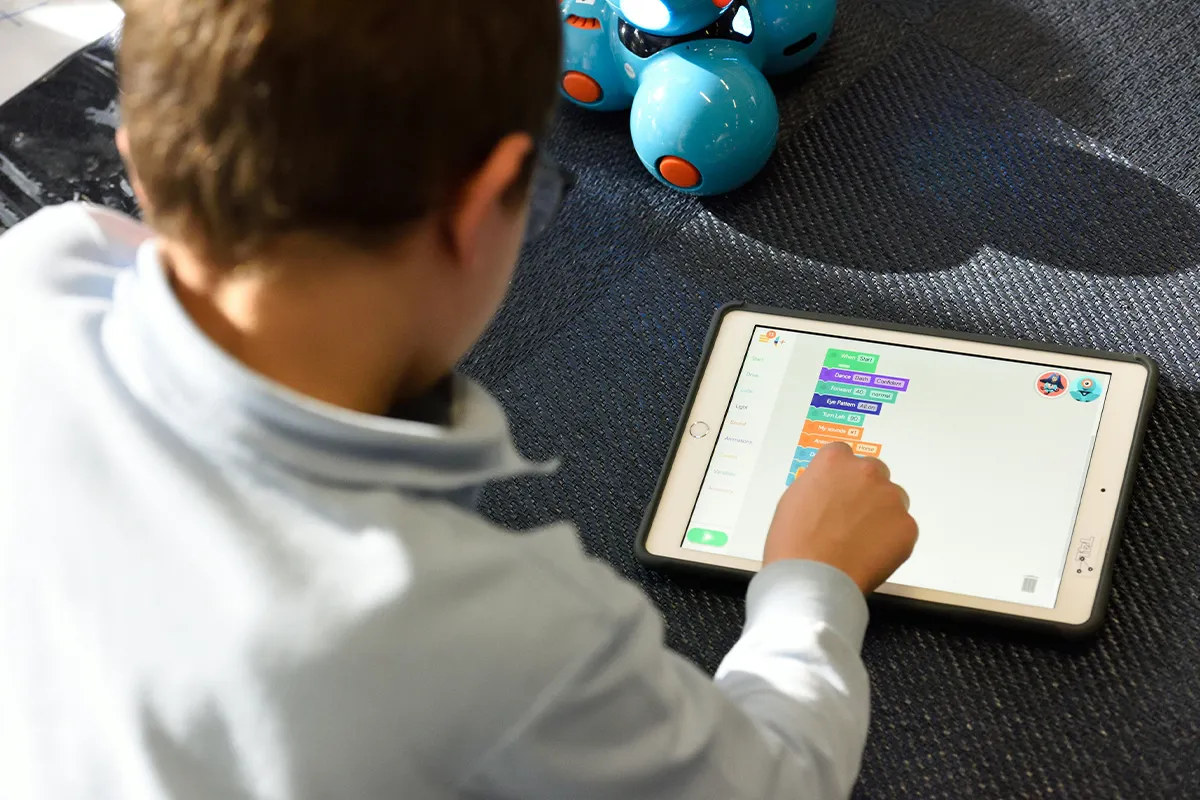
AI education robot apps for kids that teach coding will make your child an expert in this field. Now there is no need to send your children to academies and institutions that charge hefty fees and take years to do the same job. With these robot apps, your child can easily learn coding step-by-step up to an expert level.
These AI apps are easily accessible on mobile phones and laptops. Some of them are paid, and some are free to use. However, all of them provide a premium experience, features, and options for learning to code. The selection mainly depends on the interest, patience level, and problem-solving capabilities of your children.
Top 10 Best AI Education Robot Apps
Like many AI-based education apps, these ten apps work with real learning robots and robot kits. Each app teaches coding in small steps that build over time. Pick one app that fits your child, then use it often.
1. Sphero Edu
Sphero Edu is a simple way to start. Kids can make the robot roll, turn, and stop. The app shows what each command does, so kids can learn fast. Many parents like it as a beginner robotics coding app because it is easy to set up.
Fun projects fit well in this app. A child can make a short move plan, run it, and watch the robot follow it. If the robot does not move the right way, the child can change one step and try again. Trying to fix a habit helps kids learn well.
Pros:
- Multiple coding modes included.
- Many STEAM lessons are built in.
- Create and share programs.
- Works across iOS and Android devices.
Cons.
- Requires Sphero robot purchase.
- Bluetooth connection can drop.
- Advanced text mode feels hard.
- Limited learning without a robot.
2. Blockly for Dash and Dot Robots
Blockly for Dash and Dot Robots uses blocks that snap together. Kids drag blocks, then press play. The code runs without typing, so it feels easy to start. This is why block-based coding for early learners works so well for many kids.
Dash and Dot can beep, light up, and move. That keeps kids watching and learning. When a child changes one block, the robot can act in a new way. The fast change helps kids see what code does in real life.
Pros:
- Made for ages six plus.
- Many guided coding challenges.
- Drag-and-drop blocks feel easy.
- Teaches loops and sensors.
Cons.
- Needs Dash or Dot robot.
- Mostly blocks, little text.
- Requires Bluetooth for control.
- The app feels simple for teens.
3. iRobot Coding App
The iRobot Coding App uses small lessons with clear goals. Kids can follow missions like move forward, turn, or reach a spot. Each new lesson adds one more skill. This makes it a good robot coding app with step-by-step missions for steady learning.
With AI education tools like this, kids can see progress over time. A hard mission can feel easy after more practice. Planning also starts to grow here, because a child must think about the steps before pressing start. That simple planning skill helps in many school tasks, too.
Pros:
- Three learning levels are built in.
- Shows blocks, then Python.
- Good for classroom missions.
- Supports Root robot features.
Cons.
- Requires Root robot purchase.
- Level three can feel complex.
- Best on newer devices.
- Bluetooth range can be limited.
4. SAM Root
SAM Root helps kids learn in a calm way. The app shows simple steps and gives clear tasks. Kids learn order, timing, and careful changes. Many families like this style for STEM robot lessons for elementary students.
Mistakes are part of learning, and this app makes that feel normal. A child can run the code, watch the robot, then change the code a little. After many small tries, kids learn how to fix problems on their own. That builds confidence.
Pros:
- Starts with simple block levels.
- Moves up to Python 3.
- Clear levels guide learning.
- Works on web and mobile.
Cons.
- Only works with Root.
- Less creative sandbox tools.
- Needs a steady Bluetooth connection.
- Some lessons need a teacher.
5. Ozobot Blockly
Ozobot Blockly lets kids code a small robot with blocks. Kids can start with easy code and then try harder code later. The robot follows the plan, so learning feels real. A child can test a short program, then improve it. For extra help, free AI teaching websites can add simple lessons at home.
Many teachers use it because it works for different skill levels. One child can do simple moves while another child tries loops and choices. As a classroom-friendly robotics curriculum, it fits many class needs without changing tools.
Pros:
- Five levels, clear progress.
- Goes up to text.
- Works in a browser.
- Good for quick class tasks.
Cons.
- Phone screens feel cramped.
- Needs JavaScript enabled always.
- Requires Ozobot robot hardware.
- Calibration and transfer take time.
6. Evo App
The Evo App works with the Ozobot Evo robot. Kids can try challenges that feel like games. The robot moves and reacts, so kids stay interested. When the robot does the plan, kids often want to make a new plan.
Short practice at home can work well here. A parent can sit close and ask simple questions, like “What will the robot do next?” That supports parent-guided coding projects at home without long lessons. Small practice can still bring big growth.
Pros:
- Two ways to code.
- Uses tiles and tracks.
- Includes color code practice.
- Links to edit Blockly.
Cons.
- Needs an Evo robot to use.
- Less advanced than Blockly.
- AR features need space.
- Some tasks feel game-like.

7. LEGO Education SPIKE App
The LEGO Education SPIKE App lets kids build and code in one place. Kids build a model, then code it to move or react. That helps kids see how parts and code work together. A small build can turn into a bigger project later.
Many schools like tools that feel safe and focused. Also, AI ethical education issues and solutions matter, like privacy, safety, and fair rules. Some parents also want a kid-safe robotics app with privacy controls so learning stays calm. This app is made for learning, so it often fits school and home use well.
Pros:
- Builds plus coding in one.
- Starts with icon blocks.
- Progresses to Python coding.
- Includes lessons and instructions.
Cons.
- Needs SPIKE kit purchase.
- Building time slows lessons.
- Only one hub connects.
- Updates can change features.
8. VEXcode IQ
VEXcode IQ is used in many schools and clubs. Kids code robots to do clear tasks. They run the code, watch the robot, then fix the code to do better. That makes learning feel like a real challenge with a real result.
Teamwork can also happen with this app. For some kids, this can be a first step toward an AI education career later. One child can test while another child changes code. When the robot fails, kids learn that failing is okay and normal. Then they try again, and they learn more each time.
Pros:
- Blocks and text together.
- Converts blocks to Python.
- Converts blocks to C++.
- Strong for clubs and teams.
Cons.
- Some features need a computer.
- Language options can vary.
- Hardware setup takes time.
- Robot kits can cost.
9. EdScratch
EdScratch is easy to start because it uses blocks. Kids can build code without typing. They can focus on one idea and test it fast. A clear screen also helps kids stay on track.
Some kids learn better with fewer distractions. In those cases, offline robot coding practice can feel better during study time. When kids focus on one task, they can learn faster. Short sessions can still help a lot.
Pros:
- Made for Edison robots.
- Scratch-based vertical block coding.
- Bug box finds errors.
- Many learning resources are available.
Cons.
- Only works with Edison.
- Needs a supported browser for USB.
- Interface feels less modern.
- Advanced projects can feel hard.

10. Robotical App
The Robotical App helps kids learn with clear tasks and fun play. Kids can follow lessons, then try their own ideas. That mix keeps learning fun and fresh. A child can make the robot do a simple action, then change it to make it better.
Practice helps kids learn that code is a set of steps. Unlike AI language learning apps, these robot apps teach code with moves you can see. If the steps are wrong, the robot will act wrong, and that is okay. Kids can fix the steps and try again. Later, some kids may want a coding robot app with Python mode, but the first goal is to learn the basics well.
Pros:
- MartyBlocks Jr for ages five.
- Scratch-based blocks feel friendly.
- Built-in activities and lessons.
- Can level up to Python.
Cons.
- Needs Marty or Cog robot.
- Bluetooth pairing may fail.
- The app can feel heavy.
- Advanced Python needs guidance.
Comparison Table: AI Education Robot Apps
| App | Works with (robot or kit) | Coding style in the app | Best fit for | Quick decision notes |
|---|---|---|---|---|
| Sphero Edu | Sphero robots and coding kits | Draw, block-based, text-based (JavaScript, Python) | Beginner to advanced progression | Strong “learn and grow” path with multiple coding modes in one app. |
| Blockly for Dash and Dot Robots | Wonder Workshop Dash and Dot | Drag-and-drop, block-based coding | Kids learning core coding ideas | Built for ages 6-11 and designed around guided challenges and play. |
| iRobot Coding App | Root Coding Robot | Graphical blocks, hybrid blocks, full-text (Python) with 3 learning levels | Skills that scale up over time | Best pick if you want one app that grows from pre-reader logic to real text code. |
| SAM Root | Root Coding Robot | 3 progressive learning levels in the SAM Root app | Guided learning with clear levels | Fast to start: connect, pick a level, and begin coding without heavy setup. |
| Ozobot Blockly | Ozobot Evo (and supported Ozobot robots) | 5 levels from icon-based blocks to full-text programming | Step-by-step growth with levels | Excellent if you want a clear level system that moves from simple blocks toward advanced coding. |
| Evo App | Ozobot Evo | Visual programming plus quick access to Ozobot Blockly and lessons | App-first learning on phone or tablet | Best when you want a compact “all-in-one” companion that links to Blockly and classroom resources. |
| LEGO Education SPIKE App | SPIKE Essential and SPIKE Prime | Icon and word-block coding (Scratch-based), progressing to text-based Python | Classroom projects and kits | Best for build-and-code lessons with a clear path from blocks to Python. |
| VEXcode IQ | VEX IQ robots | Blocks with Code Viewer and options to work with Python and C++ (platform-dependent) | Schools, clubs, and structured challenges | Strong choice if you want blocks first, with a supported bridge into text coding and an online option. |
| EdScratch | Edison robot | Scratch-based, block-based programming for Edison | Visual coding with built-in help | Good for learning with blocks, plus an in-app “bug box” that helps spot errors. |
| Robotical App | Marty the Robot V2 and Robotical Cog | Drag-and-drop, Scratch-based MartyBlocks and MartyBlocks Jr. supports progression to Python (via the Marty ecosystem) | Ages 5+ through advanced | Best if you want a long learning runway from early blocks to later Python, with a humanoid-style robot. |
Conclusion
Robot coding apps can help kids learn in a clear way. Some kids like missions with a goal. Other kids like free play and building. Either way, robots give fast feedback, so kids can see what the code does. Some learning research shows that robots can help kids learn coding skills through hands-on practice.
Short practice works better than long practice for many kids. Two or three short sessions each week can build strong skills. Robots can also help kids look away from endless videos. Because of that, these tools can support screen-free coding activities for kids by making the robot the main focus. Pick one app, keep using it, and let learning grow step by step.